
Direct access to Google Search Console: all data, warnings and issues imported automatically
Instead of manual exports, the system gets its own read access to the client’s Search Console and fetches search data, errors and warnings on its own.
- Client: SEO project
- Service: Automation
The task
Working on a website constantly requires Google Search Console data: queries, pages, clicks, indexing errors and warnings. Exporting and sending it by hand every time takes time, and the data goes stale quickly.
The solution
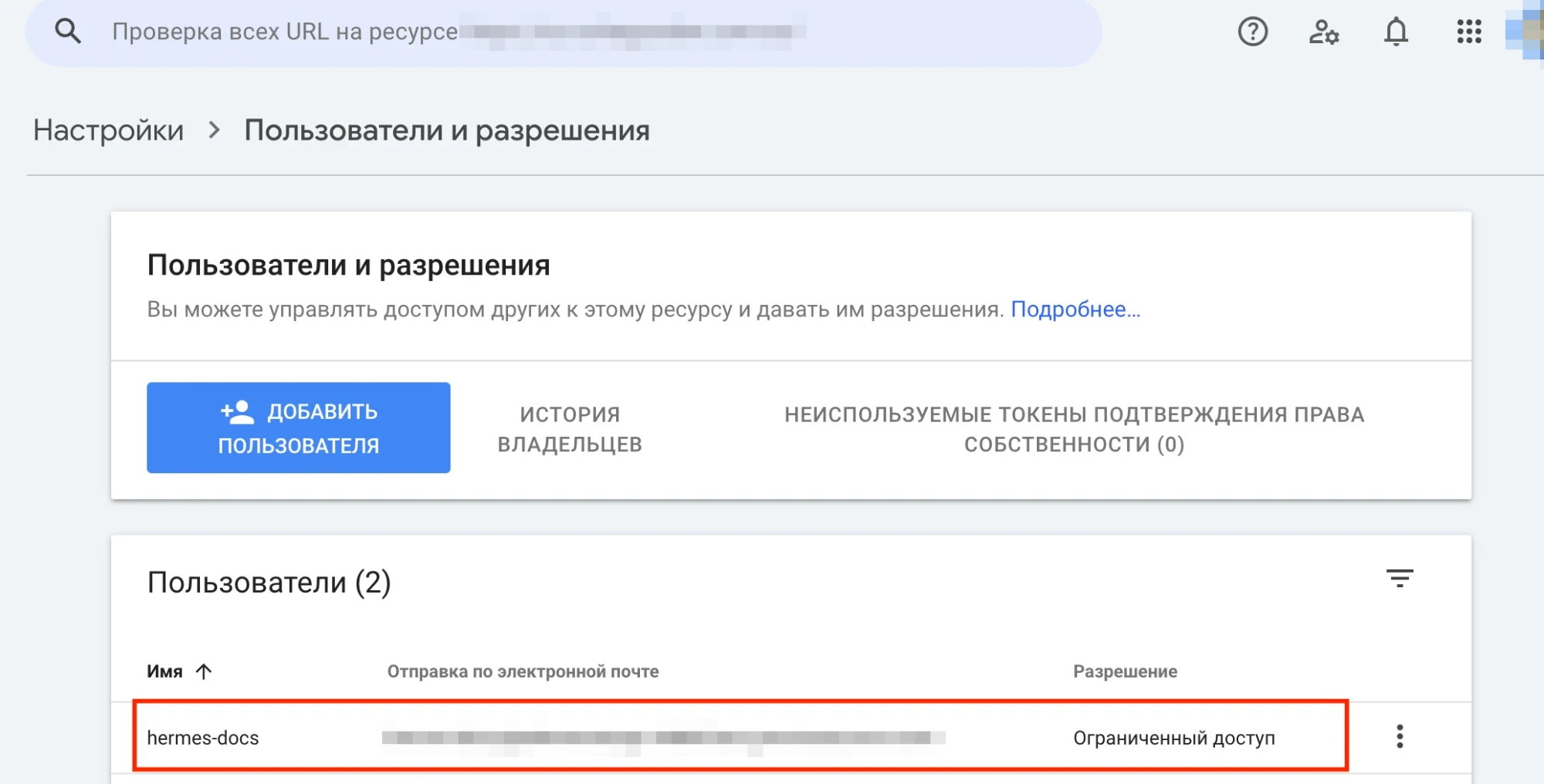
- created a dedicated service account for the system
- the client adds it in Search Console as a user with restricted access – it takes a minute
- the system regularly imports all data via the API: queries, pages, clicks, impressions, positions, plus errors, warnings and issues
- the data flows straight into analysis, tasks and reports
Result
- no manual exports and no spreadsheets sent back and forth
- new Search Console errors and warnings become visible right away
- access is restricted: the system only reads, ownership stays with the client, who can revoke access at any time
A similar goal?
Free initial consultationSimilar case studies
More projects from the same field – with the starting point, actions and results.
Automatic monitoring of changes on the client’s and competitors’ websites
A tool that regularly checks 280 pages and shows every change to URL, title, description, text and headings on a timeline – for your own site and for competitors.
Editor approval of specialist texts: questions, answers and corrections done automatically
Specialist articles for a clinic website have to be confirmed by the client’s expert. A bot asks the questions in chat, collects answers as text, voice notes or images and applies the corrections to the texts.
Our own MCP server: filling a WordPress site from Google Docs automatically
A local MCP server connects the AI assistant to WordPress and Google Docs: approved texts go straight onto the pages, corrections are applied and page lists are generated as a document.